
Cookie banner: Check whether your website is tracking illegally
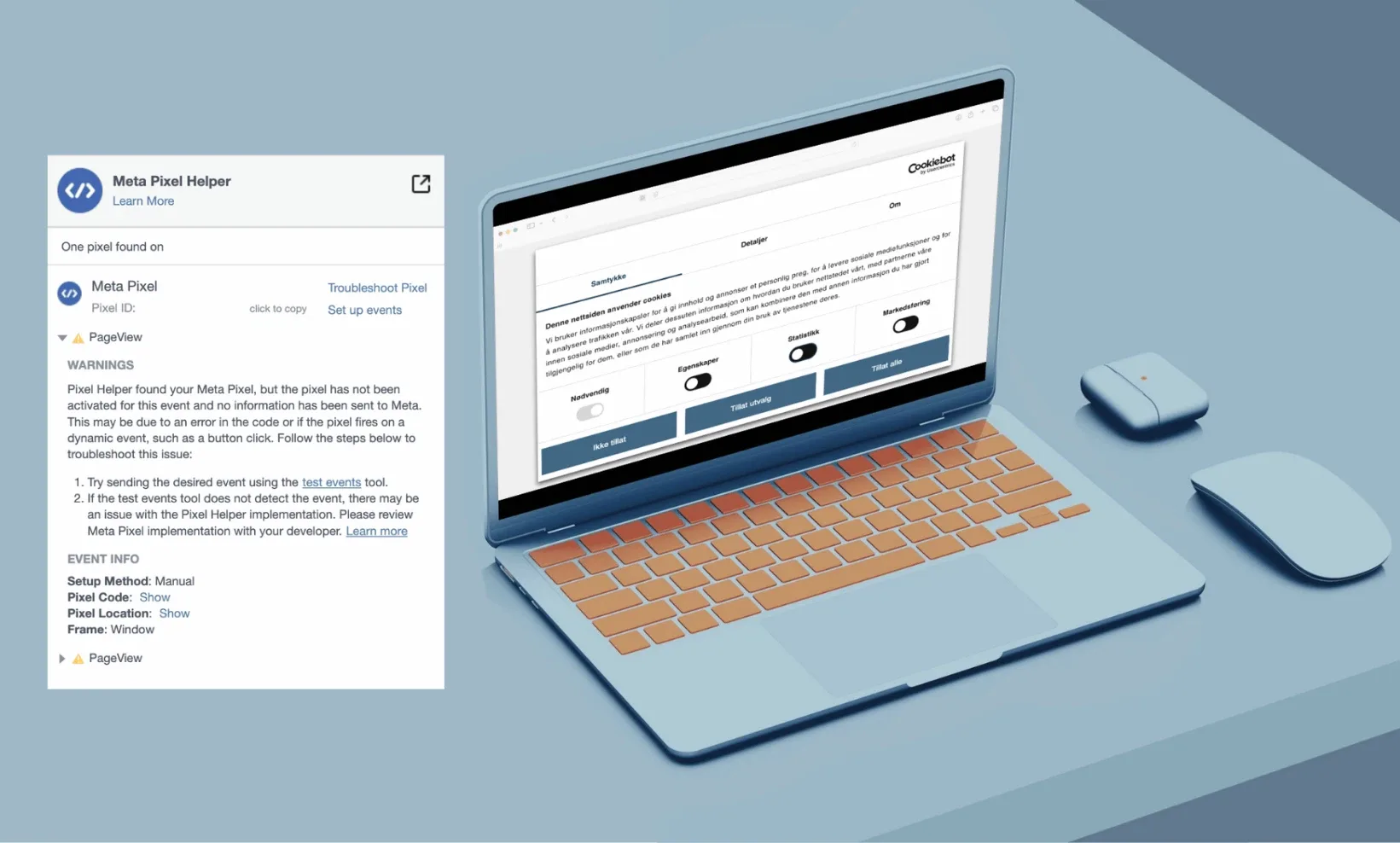
Did you know that many cookie banners are fake and that they track you even if you have not given active consent? Maybe this also applies to your website?
⚠️ Disclaimer: This article is not legal advice.
Despite increased awareness of privacy, many websites continue to use cookies without obtaining users' consent. This violates both legislation and trust. That is why it is interesting to see that large organisations, such as trade unions and federations, struggle with the correct technical setup of their cookie banners. This can create significant challenges for both web statistics and the legal department.
Fake cookie banners
If the cookie banner is set up correctly, the website should only use necessary cookies when new users visit the site. Before the user continues, they must approve that cookie technology may be used for other purposes.
Here are the purposes the user can consent to:
Functionality – For example, remembering items in a shopping cart.
Analytics – Statistical purposes such as Google Analytics.
Marketing – Such as Facebook pixels for ad retargeting.
Cookie banners are often set up so that the user can approve all cookie use. In addition, a correct cookie banner should give the user the option to consent to each individual purpose separately — granular consent.
What makes defective cookie banners illegal is when:
cookies are already activated the moment the user enters the website. In that case, the website has already collected data before active consent was given.
the cookies are not affected by the choices the user has selected, and cookie technology is used whether consent has been given or not.
A little about the law around cookie banners and personal data
When cookies are used for marketing and analytics, this may lead to the processing of personal data. In that case, privacy regulations also apply. Section 1 of the Norwegian Personal Data Act makes the General Data Protection Regulation, GDPR, part of Norwegian law.
Article 5(1) of the GDPR sets requirements including that personal data must be processed lawfully, fairly, and transparently, collected for specific purposes, and limited to what is necessary. The data must also not be stored for longer than necessary.
When processing is based on active consent, such as consent in the cookie banner for functionality, analytics, and marketing, the business must be able to document that consent. It must also be clear what the user is consenting to, and consent must be easy to withdraw.
Nkom enforces the legislation — the Electronic Communications Act — concerning the use of all cookie technology, while the Norwegian Data Protection Authority enforces the legislation — GDPR and the Personal Data Act — related to data processing and the transfer of personal data.
And while the law is one thing, it is also not good practice to give users the impression that they can choose whether they want to be tracked, while the technology does not respect that choice.
Analytics problems with defective cookie banners
In other cases, the opposite problem may occur. Tracking does not start, even when the user gives active consent to the processing of personal data. Cookies are only activated when the user clicks through to a new page on the website. This means that what is actually two page views — a visit to the front page and then the next page — is registered as one page view.
With this setup, all sessions with only one page view are never registered. If this applies to your organization, the numbers in web analytics tools such as Google Analytics become misleading. There are examples of organizations that have lost data from 70 percent of their traffic because of this error.
Test your own — and others’ — cookie banner
You do not need to be a developer to perform a simple check of how the cookie banner works. With simple Chrome extensions, you can quickly see whether cookies fire before or after active consent has been given, or whether they do not activate at all.
With Meta Pixel Helper, you can see when the website’s Facebook pixel — marketing cookie — is activated. You can use it both to check your own website and others’ websites.
With Check my cookies, you can see when the different cookies on the website are activated. This allows you to see whether the cookies respect what you click in the cookie banner, or whether they simply run their own course.
For example, you can do the following:
Open the website in a new private window.
Do not interact with the cookie banner.
Check whether analytics or marketing scripts are already activated.
Decline analytics and marketing and check whether these are still activated.
Open a new private window and repeat the test, but this time give consent.
Check whether tracking starts after consent, or whether it only starts when you continue to the next page.
Also check that it is easy to change or withdraw consent.